
A sensor is a device that detects a physical quantity, such as temperature, light, pressure, or motion, and converts it into a signal that a person or a machine can read. That’s the whole definition. Everything else in this post is about how that conversion happens and why it’s now built into nearly everything you own.
Table of Contents
- What Is a Sensor?
- How Does a Sensor Work?
- What Are the Main Types of Sensors?
- Sensor vs. Transducer vs. Actuator: What’s the Difference?
- Where Do You Already Use Sensors?
- How Do You Choose a Sensor?
- How Do Sensors Fail, and What Is Calibration?
- How Can You Start Experimenting With Sensors?
- Summary
What Is a Sensor?
The input is something physical: heat, light, force, a magnetic field, the concentration of a gas. The output is almost always electrical: a voltage, a current, a change in resistance, or a stream of digital numbers. The sensor sits between the two and does the translation.
Your body runs the same design. Your retina converts light into nerve impulses, and your skin converts temperature and pressure into signals your brain can interpret. Engineers borrowed the idea and built it in silicon, metal, and ceramic.
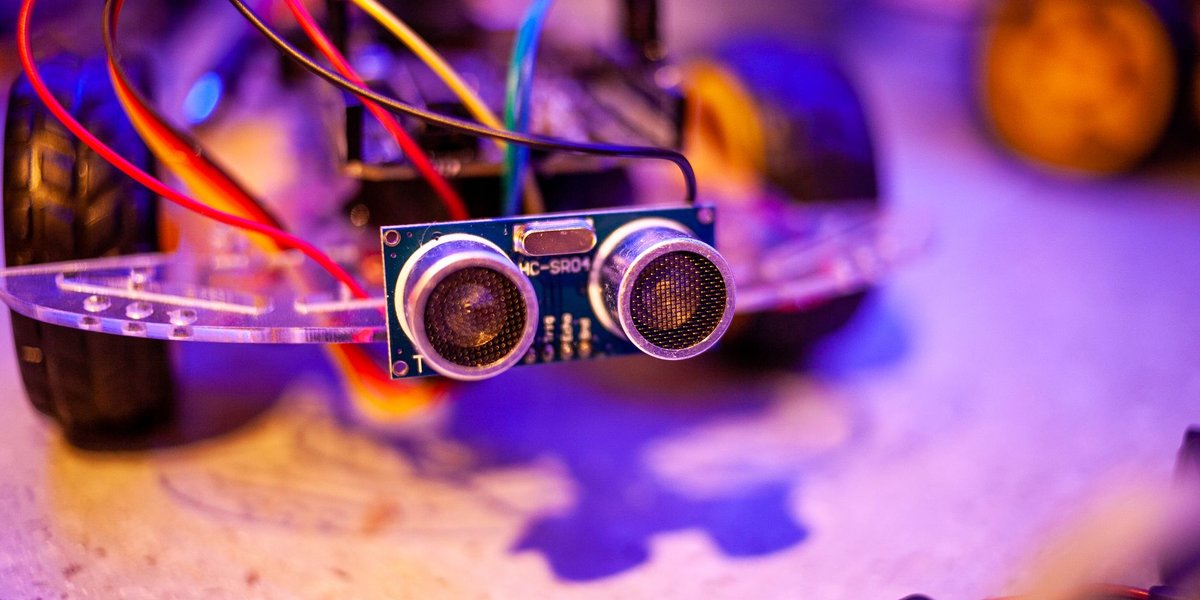
Sensors fall into two broad camps by how they get their information. Passive sensors read energy that’s already in the environment: a thermocouple reacting to heat, a photodiode catching ambient light. Active sensors send out their own energy and measure what comes back: an ultrasonic rangefinder pings and times the echo, and radar does the same with radio waves. (Some sources use “active” to mean “needs external power” instead, so check which convention a textbook is using.)
The other split is by output. Analog sensors produce a continuously varying voltage. Digital sensors do the conversion internally and hand over numbers on a bus such as I2C or SPI.
How Does a Sensor Work?
The clearest way to see it is to follow one sensor from physics to number. Take a thermistor, a resistor whose resistance changes with temperature.
Step 1: The physical effect. A common thermistor is the NTC type (negative temperature coefficient), made from a ceramic semiconductor. Heat frees more charge carriers inside the material, so resistance drops as temperature rises. A typical 10 kΩ thermistor reads 10,000 ohms at 25 °C and a few thousand ohms once it’s warmed to 50 °C.
Step 2: Turn resistance into voltage. A microcontroller can’t measure resistance directly. It measures voltage. So the thermistor is wired in series with a fixed resistor, forming a voltage divider. As the thermistor’s resistance falls, the voltage at the midpoint shifts.
Step 3: Signal conditioning. Real signals are small, noisy, or at the wrong scale. Conditioning circuits amplify the signal, filter out electrical noise, and shift it into the range the next stage expects. For a thermistor this can be as simple as one extra resistor and a capacitor.
Step 4: Analog-to-digital conversion. An analog-to-digital converter (ADC) turns the voltage into an integer. The ADC on an Arduino Uno is 10-bit, so a 0 to 5 V input becomes a number from 0 to 1023.
Step 5: The microcontroller does the math. Thermistor resistance doesn’t track temperature in a straight line, so the code applies the Steinhart-Hart equation (or a simpler beta approximation) to turn that integer into degrees. Only then does it show a reading on a screen, switch on a fan, or send a message to a server.
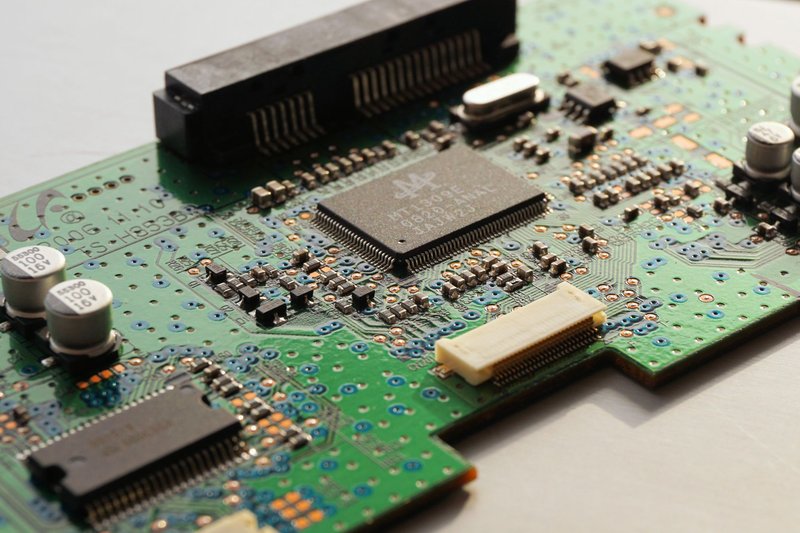
The same chain, sensing element, conditioning, conversion, processing, shows up in every sensor system. A photodiode swaps step 1 for photons knocking electrons loose to create a small current. A MEMS accelerometer swaps it for a microscopic silicon mass that moves on springs and changes the capacitance between tiny plates. The steps after that stay nearly the same.
What Are the Main Types of Sensors?
The most useful way to sort sensors is by what they measure. Each type below has a few common variants, but the table covers the ones you’ll meet most.
| Type | What it measures | How it works | Everyday example |
|---|---|---|---|
| Temperature (thermistor, thermocouple) | Heat | Resistance changes with temperature (thermistor); two joined metals generate a small voltage (thermocouple) | Oven, thermostat, fever thermometer |
| Light (photodiode, photoresistor) | Light intensity | Photons free charge carriers, producing current or lowering resistance | Auto-brightness on a phone |
| Image (CMOS, CCD) | Light as a 2D pattern | A grid of millions of photosites, each converting light into charge | Phone and webcam cameras |
| Proximity (infrared, capacitive, inductive) | Nearby objects, without contact | Reflected infrared light or a change in an electric field | Screen turning off during a call |
| Ultrasonic | Distance | Emits a sound pulse and times the echo | Car parking sensors |
| Pressure (piezoresistive, capacitive) | Force per unit area | A flexible diaphragm changes resistance or capacitance when bent | Tire pressure monitor, phone barometer |
| Motion (accelerometer, gyroscope) | Acceleration and rotation | A tiny suspended mass shifts (accelerometer); a vibrating structure resists rotation (gyroscope) | Screen rotation, step counting |
| Magnetic (Hall effect) | Magnetic field strength | A magnetic field deflects current inside a semiconductor, creating a voltage | Phone compass, laptop lid detection |
| Humidity | Water vapor in air | A polymer layer absorbs moisture and changes its capacitance | Weather station, smart thermostat |
| Gas (electrochemical, metal oxide) | Concentration of a specific gas | A chemical reaction at a surface changes current or resistance | Carbon monoxide alarm |
A few of these deserve a closer look.
Proximity sensors are the quiet workhorses. The one in your phone is an infrared LED paired with a detector. When your cheek covers the phone, the detector sees a spike in reflected infrared light and the screen switches off. Industrial inductive proximity sensors work differently: they generate an oscillating magnetic field and detect when a metal object disturbs it, which makes them immune to dirt and oil on factory floors.
Temperature sensors split by range. Thermistors are precise across a narrow window, such as -50 to 150 °C. Thermocouples are rougher but handle extremes. A type K thermocouple works from about -200 °C to roughly 1,260 °C, which is why they sit inside furnaces and jet engines.
Image sensors have their own origin story. The charge-coupled device (CCD) earned its inventors, Willard Boyle and George Smith, a share of the 2009 Nobel Prize in Physics. Most phone cameras today use the cheaper CMOS design, but the principle is the same: light becomes charge, and charge becomes a number.
Sensor vs. Transducer vs. Actuator: What’s the Difference?
These three words get used interchangeably, and they shouldn’t be.
A transducer is any device that converts one form of energy into another. A sensor is a transducer whose job is measurement: it converts a physical quantity into a signal you can read. So every sensor is a transducer, but not every transducer is a sensor. A loudspeaker converts electrical signals to sound, and it measures nothing.
An actuator runs in the opposite direction. It takes an electrical signal and produces physical action: a motor spinning, a valve opening, a heating element turning on.
A thermostat shows all three roles. The temperature sensor measures the room. The controller compares the reading to your setting. The actuator, a relay that switches the furnace, acts on the result. Sensor in, decision in the middle, actuator out. That loop is the basis of most automation, and robotics engineering is built almost entirely around it.
Where Do You Already Use Sensors?
More places than you’d guess. A short inventory:
In your smartphone. A modern phone carries an accelerometer, a gyroscope, a magnetometer (the compass), a barometer, an ambient light sensor, a proximity sensor, one or more CMOS image sensors, and several microphones. Fingerprint readers and face-recognition hardware add more. The barometer is sensitive enough to notice a change of a floor or so in elevation, because air pressure near sea level drops by roughly 1 hectopascal for every 8 meters you climb.

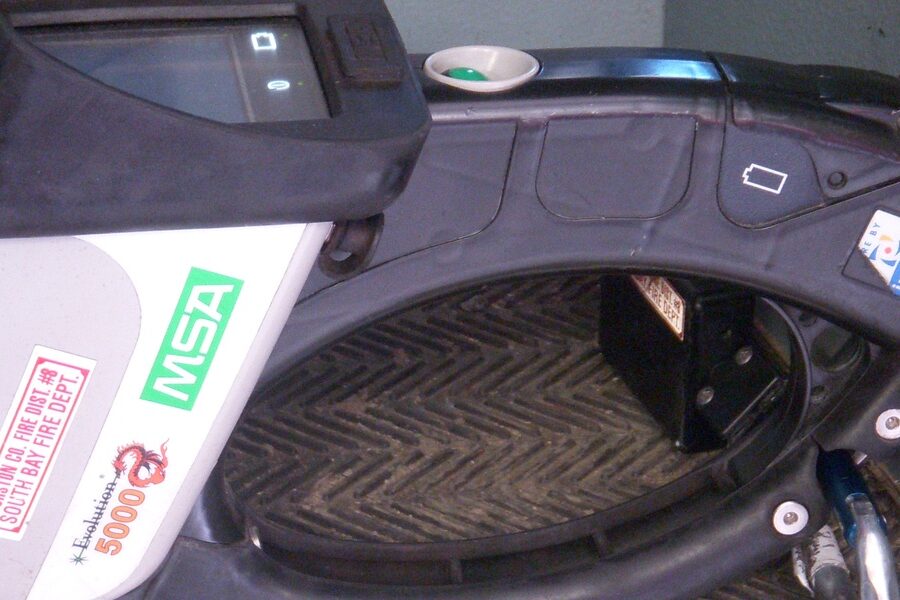
In your car. Wheel-speed sensors feed the anti-lock brakes. An oxygen (lambda) sensor in the exhaust tells the engine computer whether the fuel mixture is rich or lean. Knock sensors listen for engine detonation. Tire pressure monitors, crankshaft position sensors, rain sensors, and parking ultrasonics fill out the list. A modern car carries dozens of sensors, and many carry well over a hundred.
In your home. Thermostats, smoke detectors (using either ionization or light scattering), carbon monoxide alarms, motion-activated lights using passive infrared sensors, and the door sensors on a security system.
On your wrist. Smartwatches shine green LEDs into your skin and use a photodiode to measure how much light your blood absorbs with each pulse. That technique, photoplethysmography, gives heart rate. An accelerometer counts steps.
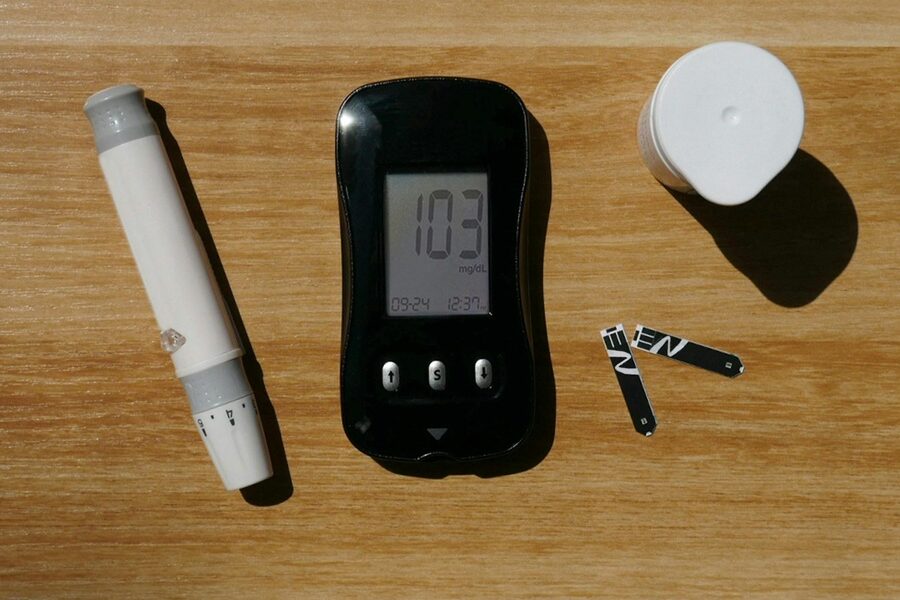
In the hospital. A pulse oximeter clips onto your finger and compares how much red and infrared light passes through, which reveals blood oxygen saturation. Continuous glucose monitors use an enzyme-based electrochemical sensor under the skin. The U.S. National Institute of Biomedical Imaging and Bioengineering has a good overview of medical sensors if you want the clinical side.
When these sensors are networked and send their data over the internet, you get what’s called the Internet of Things. IoT sensors are the same devices with a radio attached: a soil-moisture probe reporting to a farm dashboard, or a vibration sensor warning that a factory motor’s bearing is wearing out.
How Do You Choose a Sensor?
If you’re picking a sensor for a project, these are the questions that matter, roughly in order.
- What exactly are you measuring, and over what range? A sensor that’s accurate from 0 to 50 °C is useless in a kiln.
- How accurate and how precise? Accuracy is how close readings are to the true value. Precision is how consistent they are with each other. A sensor can be precise and still wrong by a fixed offset.
- What resolution do you need? The smallest change the sensor can detect. Resolution costs money.
- How fast does it respond? A thermistor in a metal probe might take several seconds to settle. A photodiode responds in microseconds. Match the response time to how fast your quantity changes.
- How much power does it draw? This decides everything for battery or solar devices. Some gas sensors use a heated element and burn far more power than a humidity sensor.
- What’s the output? Analog sensors need an ADC. Digital sensors with I2C or SPI plug straight into most boards.
- What’s the environment? Moisture, dust, vibration, and temperature swings all affect the choice of housing and sensing element.
- What does it cost? A hobby temperature sensor costs a dollar or two. A laboratory-grade one can cost hundreds.
Few sensors win on every count. You’re always trading something: range for precision, speed for power, cost for stability.
How Do Sensors Fail, and What Is Calibration?
Sensors rarely stop dead. They get quietly wrong, which is worse.
The usual failure modes:
- Drift. The reading slowly shifts over months or years as the material ages. Electrochemical gas sensors drift as their chemistry is consumed.
- Offset and gain errors. The sensor reads consistently high, or its scale is stretched or compressed.
- Contamination. Dust, oil, or condensation coats the sensing surface. Oxygen sensors in car exhausts foul with deposits over time.
- Saturation. The input exceeds the range, and the output flatlines at its maximum.
- Noise. Electrical interference or vibration adds random jitter to the signal.
- Mechanical wear or shock. A dropped MEMS device can shift its internal structure.
Calibration is the fix. You compare the sensor’s reading against a trusted reference at one or more known points, then correct the difference. A two-point calibration of a thermometer, for example, uses ice water (0 °C) and boiling water (100 °C, adjusted for altitude) to correct both offset and gain. Professional labs trace their reference standards back to national metrology institutes such as the National Institute of Standards and Technology, so a measurement in one country means the same thing in another.
How often you recalibrate depends on the sensor and the stakes. A hobby weather station might never need it. A medical gas analyzer might need it before every use.
How Can You Start Experimenting With Sensors?
Cheaper than you’d think. A starter path:
- Get a microcontroller board. An Arduino Uno is the standard choice. It has built-in analog inputs and a huge library of tutorials. A beginner breadboard kit is a simpler way to get the board, wires, and breadboard in one order.
- Start with one analog sensor. The TMP36 temperature sensor outputs 10 millivolts per degree Celsius with a 500 mV offset at 0 °C, so the conversion is two lines of code. A photoresistor in a voltage divider is another easy first project.
- Move to a digital sensor. A DHT22 gives temperature and humidity over a single data pin. A BMP280 reports pressure and temperature over I2C.
- Add distance. The HC-SR04 ultrasonic module measures distance by timing an echo, and you can watch the physics in action with a ruler.
- Try a Raspberry Pi. One catch: the Pi has no analog inputs. For analog sensors you need an external ADC chip such as the MCP3008. Digital sensors like the DS18B20 temperature probe work directly.
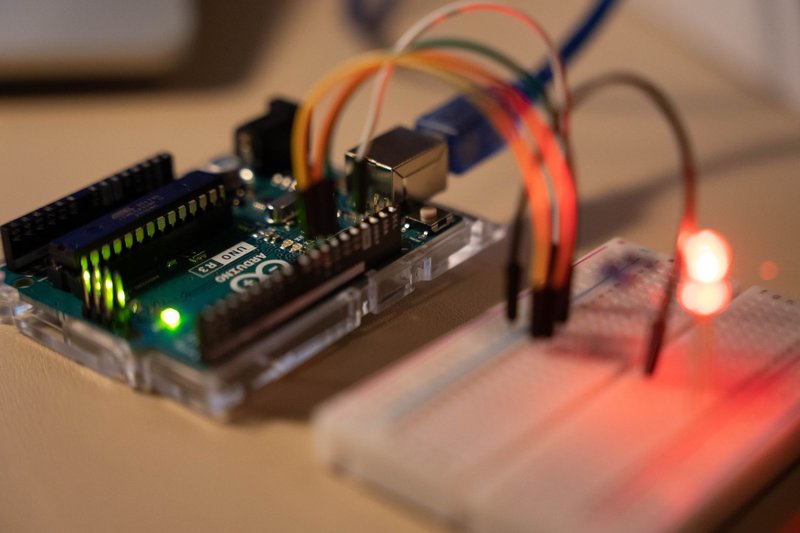
Log the readings over a day and plot them. Watching a temperature sensor trace the arc of a day, with a bump when someone opens the door, teaches you more about real sensor behavior than any datasheet.
Summary
A sensor converts a physical quantity into a readable signal. Inside, a sensing element reacts to heat, light, force, or chemistry. Signal conditioning cleans up the output, an ADC digitizes it, and a processor makes sense of the numbers. Sensors group by what they measure, and the table above covers the main families. They differ from transducers, which cover any energy conversion, and from actuators, which turn signals back into physical action.
You carry dozens in your pocket and sit among more in your car and home. Choosing one means balancing range, accuracy, speed, power, and cost, and keeping it trustworthy means calibrating it and watching for drift. If you want to understand sensors properly, wire a thermistor to an Arduino and watch the numbers move when you wrap your hand around it.