

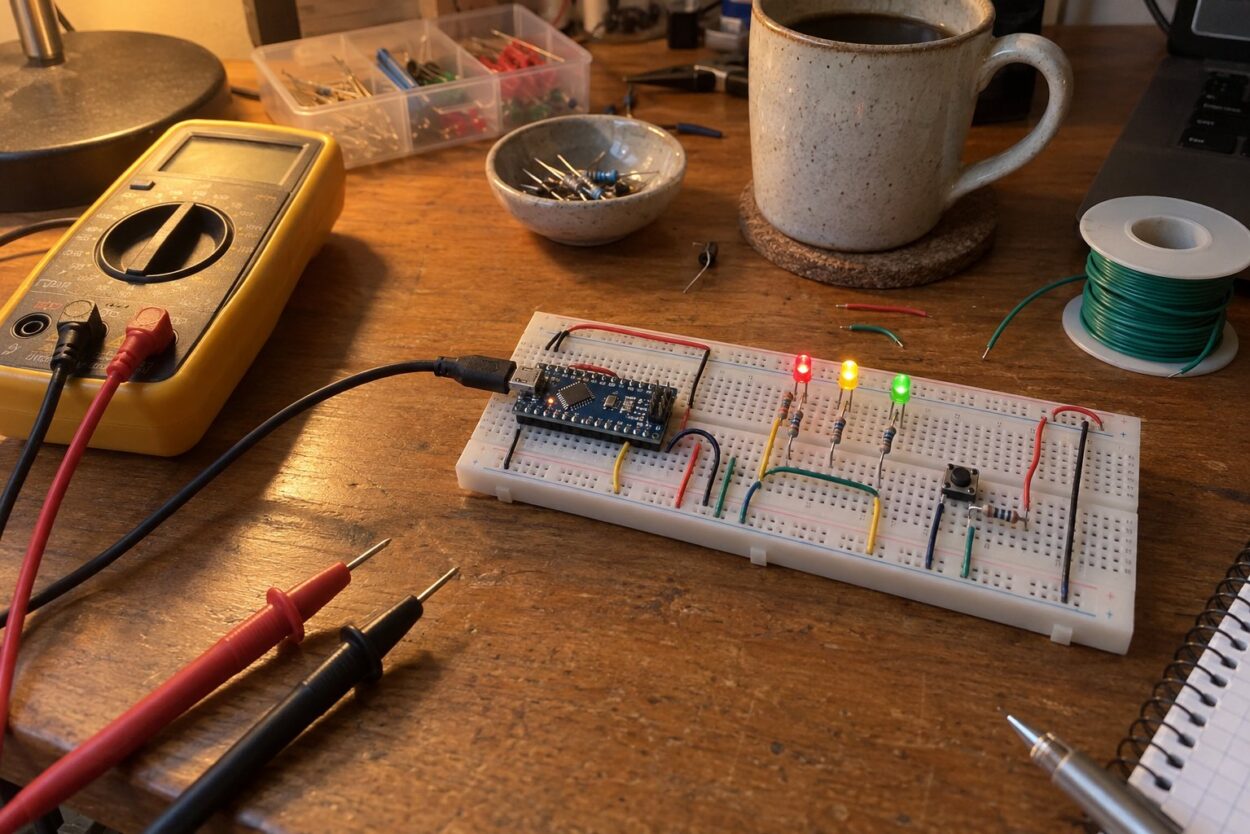
The first breadboard circuit I ever trusted was an LED pulser. I spent five years at CERN calibrating particle detectors, and a lot of that work starts with a flash of light of a known size, fired into a photomultiplier tube so you can compare what the readout says with what you sent. Before a pulser design went to a printed circuit board, it lived on a breadboard on my bench for a week while I swapped resistors and watched the scope trace move.
That breadboard was a good one. The one I bought for home a year later was not, and it cost me an evening chasing a flickering LED that turned out to be one loose clip in row 23. That is the first thing to know about breadboard kits: the board is the part people think about least, and it decides whether your first circuit works.
The best breadboard kit for most beginners is the ELEGOO UNO R3 Super Starter Kit. It puts an Arduino-compatible board, a solderless breadboard, a power module, jumper wires, sensors and more than 20 guided lessons in one case. If you want a genuine Arduino board and a printed book, buy the Official Arduino Starter Kit. If you want the breadboard and parts without a microcontroller, the REXQualis Electronics Component Fun Kit has a full-size 830-point board and 400+ parts. Whichever kit you choose, a BusBoard BB830 and a box of 22 AWG pre-cut wire fix the two weakest parts of most kits.
33Science earns a commission on qualifying Amazon purchases made through links on this page, at no extra cost to you. See our affiliate disclosure.
Quick picks
| Pick | Best for | Microcontroller | Tier |
|---|---|---|---|
| ELEGOO UNO R3 Super Starter Kit | Most beginners | Arduino-compatible UNO | Mid-range |
| ELEGOO UNO R3 Most Complete Starter Kit | More sensors, more projects | Arduino-compatible UNO | Mid-range |
| Official Arduino Starter Kit | Genuine board and a printed book | Arduino UNO R3 | Premium |
| SunFounder Inventor Lab Kit | Genuine board plus a multimeter | Arduino UNO R3 | Premium |
| ELEGOO ESP-32 Super Starter Kit | Wi-Fi and Bluetooth projects | ESP32 | Mid-range |
| Freenove Ultimate Kit for Raspberry Pi | Raspberry Pi owners | None (uses your Pi) | Mid-range |
| REXQualis Component Fun Kit | Analog basics without code | None | Budget |
| BusBoard BB830 | A breadboard that grips | None | Budget |
| Elenco 9440C | Big bench builds | None | Premium |
| Elenco 350-piece jumper kit | Neat 22 AWG wiring | None | Mid-range |
| AUSTOR 560-piece jumper kit | Pre-cut wire on a budget | None | Budget |
What a breadboard kit should include
“Breadboard kit” covers three different things on Amazon, and buying the wrong one is the most common mistake I see from friends who ask me for help.
- Microcontroller starter kits include an Arduino, ESP32 or similar board, a breadboard, wires, components and lessons. You write code that reads sensors and drives LEDs, motors and displays. This is what most people searching for an electronics breadboard kit actually want.
- Component kits include a breadboard, a power module and a box of resistors, LEDs, capacitors, transistors and chips, with no microcontroller. They are for learning how circuits behave: Ohm’s law, voltage dividers, transistor switches, timers.
- Bare boards and wire are the breadboard itself, or a box of jumpers. Buy these to replace the weak parts of a kit or to build something bigger.
Whichever type you pick, check four things in the listing: the breadboard size (830 tie points is full size, 400 is half size), how the board is powered, what kind of jumper wire is included, and whether the lessons are a printed book, a PDF or videos.
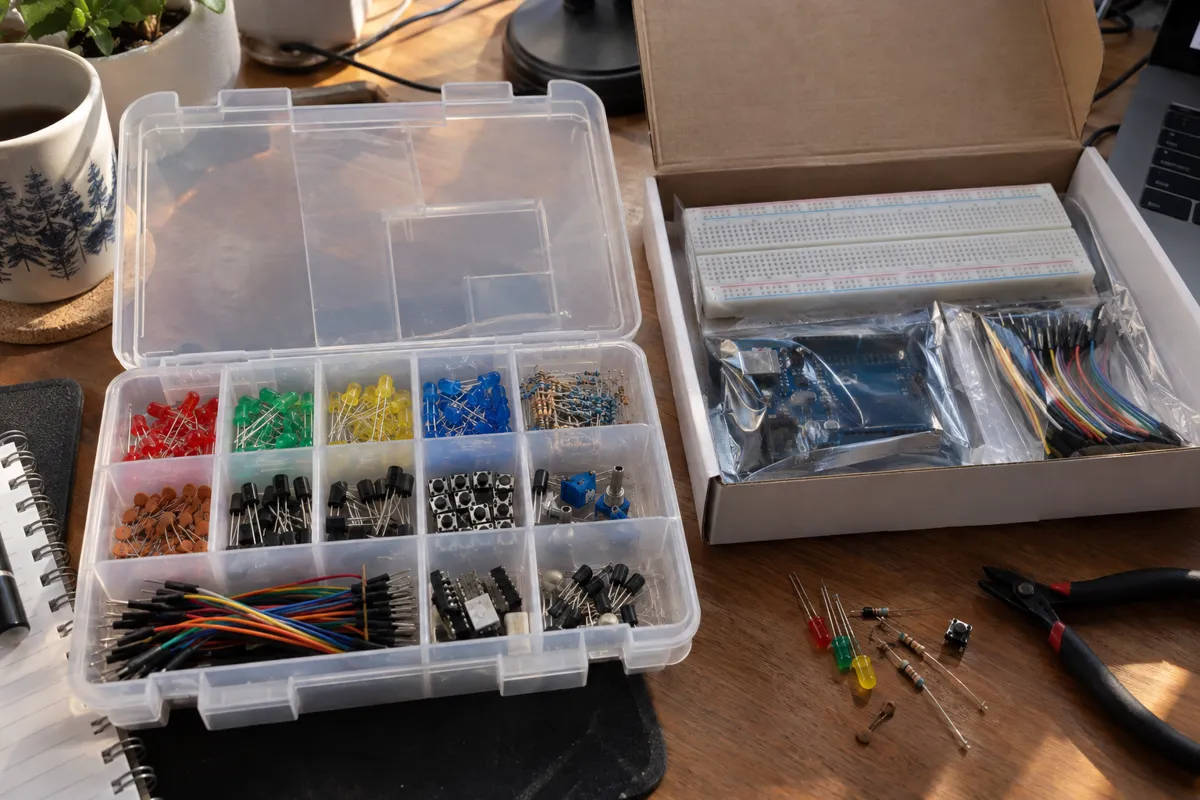
Starter kits with a microcontroller
Best breadboard kit for beginners
1. ELEGOO UNO R3 Super Starter Kit
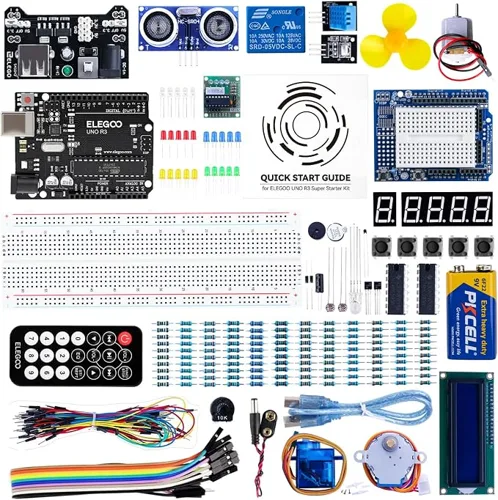
This is the kit I hand to people who say “I want to learn electronics” and nothing more specific. It has an Arduino-compatible UNO R3 board, a solderless breadboard, a breadboard power module, 65 jumper wires and the parts for the classic first projects: LEDs, an RGB LED, buttons, a servo, a stepper motor with driver, an ultrasonic distance sensor, a temperature and humidity sensor, an LCD with the header already soldered, 7-segment displays and a shift register. It is also the most-reviewed kit in the category, with more than 16,000 ratings at 4.7 stars.
The lessons are the weak part. Elegoo’s PDF tells you what to wire but not much about why. Pair it with a free video course (Paul McWhorter’s Arduino series on YouTube is the one Reddit names most) and the kit becomes a full introduction.
- Board: ELEGOO UNO R3 (clone, ATmega328P), USB-B cable
- Lessons: 22+ guided projects with example code
- Watch out: the power module takes no more than 9 V in, and USB-C-only laptops need an adapter
Most parts for the money
2. ELEGOO UNO R3 Most Complete Starter Kit
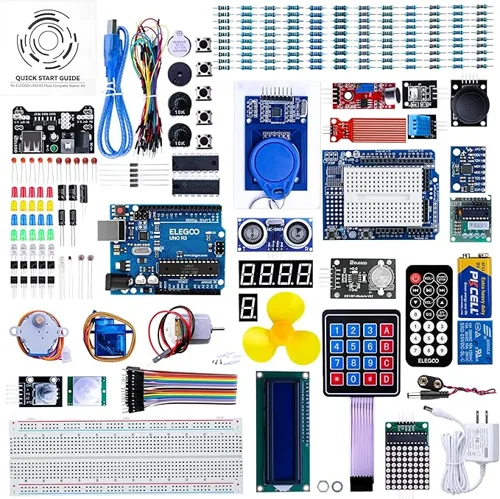
The Most Complete kit is the Super Starter with a second drawer. It adds an RFID reader with cards, a real-time clock, a motion sensor, a gyro and accelerometer, an 8×8 LED matrix, a keypad, a rotary encoder, a sound sensor, a water level sensor and a 9 V wall adapter, for more than 200 parts and 30+ projects. The breadboard is a full-size 830-point board.
I bought this one for a friend’s 12-year-old who had already finished the obvious LED projects on a borrowed kit. The RFID reader and the keypad held his attention for a month, which is the real argument for it. If you are not sure you will stay with the hobby, the Super Starter is enough.
- Board: ELEGOO UNO R3 (clone)
- Extras: wall power supply, prototype shield, labelled resistor assortment
- Watch out: more parts than a first-timer needs, and some reviewers report flimsy modules
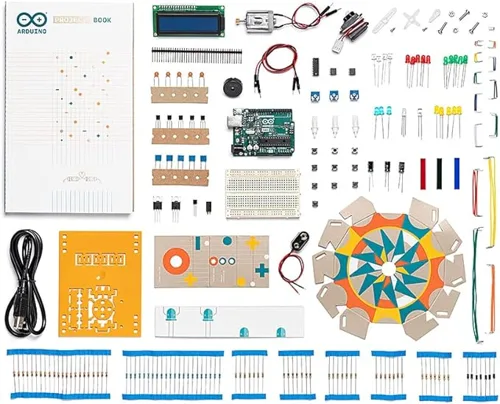
Best official kit
3. Official Arduino Starter Kit
You get fewer parts for the money than with Elegoo, and you get two things Elegoo does not have: a genuine Arduino UNO R3 and a printed projects book that builds each lesson on the one before. The book is the reason to buy it. It explains the electronics as well as the code, and a paper book on the desk beside the breadboard is easier to follow than a PDF in another window.
The kit includes a breadboard on a wooden base, solid-core jumper wires, a small LCD, motors, light and temperature sensors, a tilt sensor and pushbuttons. The Amazon title says 12 projects and the detail table says 15; the book has more than a dozen either way. This listing is the R3 version. An R4 version exists, but it has far fewer reviews so far.
- Board: genuine Arduino UNO R3
- Lessons: printed English projects book
- Watch out: fewer sensors than the Elegoo kits
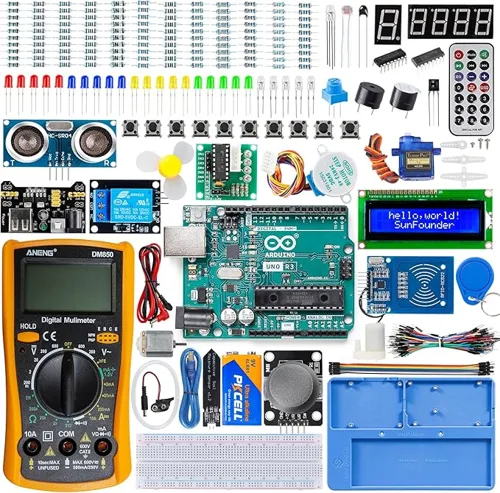
Genuine board plus a multimeter
4. SunFounder Inventor Lab Starter Kit
This is the only kit here with a multimeter in the box, and that matters more than it sounds. Every breadboard problem I have ever had was found with a meter on continuity mode: a dead clip, a split power rail, a wire that looked seated and was not. SunFounder pairs it with a genuine Arduino Uno R3, a breadboard holder that keeps the board and Arduino together, a power module, more than 200 components, 34 lessons and 40+ video lessons.
- Board: original Arduino Uno R3
- Lessons: written lessons plus video courses
- Watch out: about 100 ratings so far, and the bundled meter is a basic one
For ESP32 and Raspberry Pi
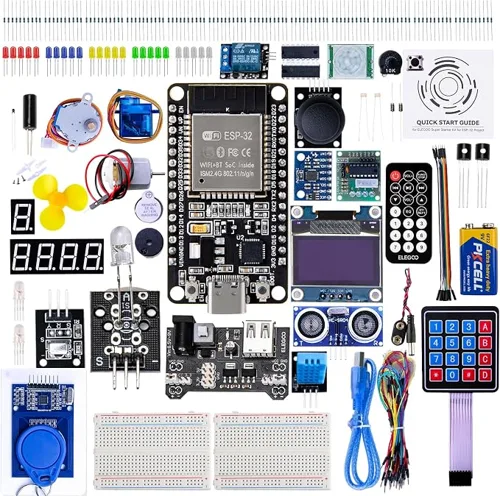
Best for Wi-Fi and Bluetooth projects
5. ELEGOO ESP-32 Super Starter Kit
The ESP32 is a faster chip than the UNO’s, with Wi-Fi and Bluetooth built in, and it programs from the same Arduino IDE. If your first project idea involves a phone or the internet (a weather station that posts readings, a plant sensor that sends an alert), start here. The kit has an ESP32 board with USB-C, two 400-point breadboards, an OLED display, an RFID reader, a keypad, a motion sensor, an ultrasonic sensor and a resistor assortment from 10 ohms to 1 megohm.
Two half-size boards are tighter to work on than one full-size board, and the ESP32 runs on 3.3 V logic, so some 5 V modules written for the UNO need a level shifter or a different module.
- Board: ESP32 dev board, USB-C
- Lessons: 30+ online projects with code
- Watch out: thin documentation; half-size boards fill up fast
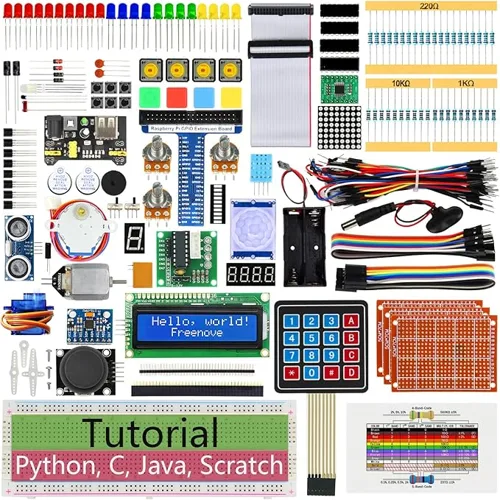
Best Raspberry Pi breadboard kit
6. Freenove Ultimate Starter Kit for Raspberry Pi
The Raspberry Pi is not included, and that is the point: this is the breadboard kit for people who already own a Pi and want to use its GPIO pins. You get a breadboard, a GPIO extension board with ribbon cable, 223 items and a 962-page downloadable tutorial with 128 projects in Python, C, Java, Scratch and Processing. It works with the Pi 5, 500, 400, 4B, 3B+, 3B, 3A+, 2B and Zero 2 W, and it has more than 4,300 ratings at 4.6 stars.
- Board: none (bring your Raspberry Pi)
- Lessons: downloadable tutorial only, no paper copy
- Watch out: some reviewers report errors in the documentation
Component kit without a microcontroller
Best budget breadboard kit
7. REXQualis Electronics Component Fun Kit
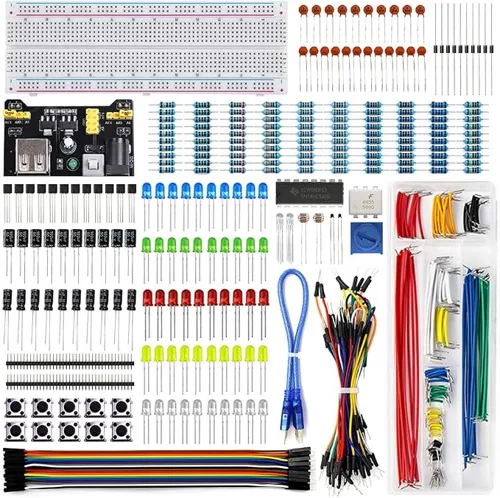
Before I wrote a line of Arduino code I learned more from a box like this than from any lesson. A 9 V battery, a resistor, an LED and a meter will teach you Ohm’s law faster than a textbook, because you can measure the thing the equation predicts. This kit has a full-size 830-point breadboard, a power module that puts 5 V on one rail and 3.3 V on the other (USB or barrel jack in), jumper wires, a precision potentiometer and 400+ labelled parts: resistors, LEDs, transistors, diodes, capacitors, ICs and buttons.
It has no microcontroller and no printed guide. Use it with a free online course, or add it to a starter kit when you run out of resistors. Elegoo sells a similar Electronics Fun Kit, but its reviews flag faulty power modules more often.
- Breadboard: 830 tie points
- Works with: Arduino, Raspberry Pi, ESP32, or no controller at all
- Watch out: tutorial and datasheets are download-only
Breadboards and jumper wire
Best single breadboard
8. BusBoard BB830
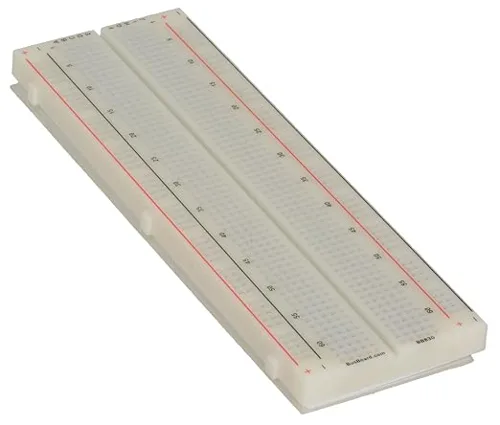
If a kit’s breadboard gives you intermittent connections, replace the board before you blame your wiring. The BB830 is the board Ben Eater uses and sells for his 6502 computer series, and in Reddit threads about bad breadboards it is the brand that comes up first. Its clips grip a component leg firmly enough that a resistor stays put when you pull a wire next to it, which is the test I use on any board.
It has 830 tie points: 126 five-hole terminal strips plus four power rails, sized for 21 to 26 AWG wire. On Amazon it is sold by Jameco and has very few reviews, so the evidence for it comes from the people who build on it. A genuine board has “BusBoard.com” and “BB830” printed on one end. A clear version, the BB830T, lets you see the clips.
- Size: 6.5 x 2.2 in, 830 tie points, 4 power rails
- Wire: 21 to 26 AWG
- Watch out: bare board only, no wires
Best large breadboard
9. Elenco 9440C
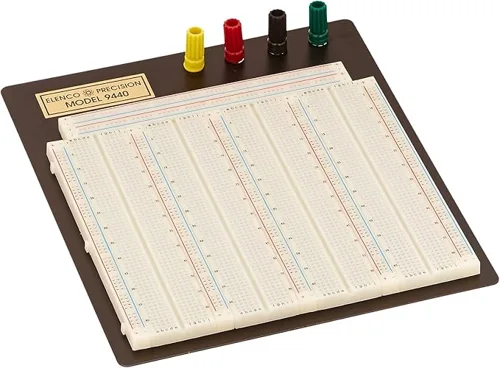
The 9440C is four boards’ worth of space on a metal base, with 3,220 contact points and four binding posts for bench power. It is the kind of board I had at work: room for several chips, a power section that stays wired between projects, and posts you can clamp a lab supply lead to instead of balancing a jumper in a rail. It is too much for a first circuit and a good second purchase for anyone building digital logic or multi-stage audio projects.
- Size: 3,220 points, 14 bus lines, 4 binding posts
- Watch out: large and heavy; some reviewers find it less sturdy than expected; stock was low when we checked
Best jumper wire kit
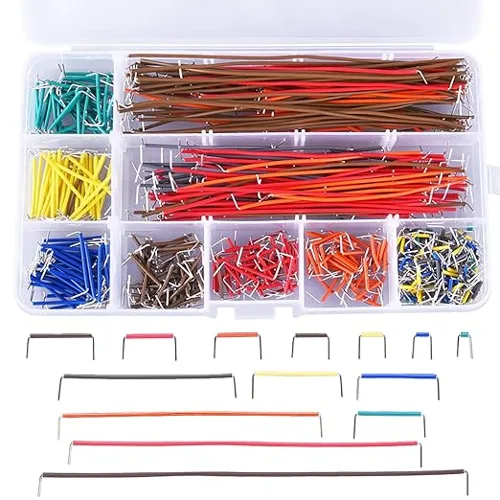
10. Elenco 350-Piece Pre-Formed Jumper Wire Kit
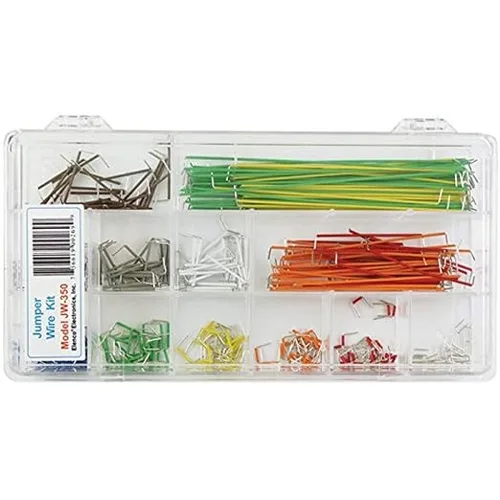
Most kits ship with flexible jumpers that have a crimped pin on each end. They are quick to use and they are where many breadboard faults start, because the crimp works loose or the pin is slightly undersized. Pre-cut solid-core wire lies flat, holds in the clip and makes a circuit you can actually read a week later. This kit has 350 pre-stripped, pre-bent 22 AWG wires in 14 lengths, color coded by length, in a compartment case. 22 AWG solid copper is the wire most breadboard makers and Reddit regulars recommend.
- Wire: 22 AWG solid, 14 lengths, 25 of each
- Watch out: some buyers report wires breaking after many bends; sold by a third-party seller
Budget jumper wire
11. AUSTOR 560-Piece Jumper Wire Kit
The AUSTOR box gives you more wires for less money: 560 pre-cut U-shaped jumpers in 14 lengths from 2 mm to 125 mm, with more than 1,800 ratings at 4.5 stars. The wire is 24 AWG, thinner than the Elenco’s 22 AWG, and the listing admits it is “a little soft”. It works in most kit breadboards. In a tight board like the BB830, thin soft wire can buckle on the way in, so I keep the Elenco set for that board.
- Wire: 24 AWG solid, 14 lengths
- Watch out: softer and thinner than 22 AWG
How a solderless breadboard is wired
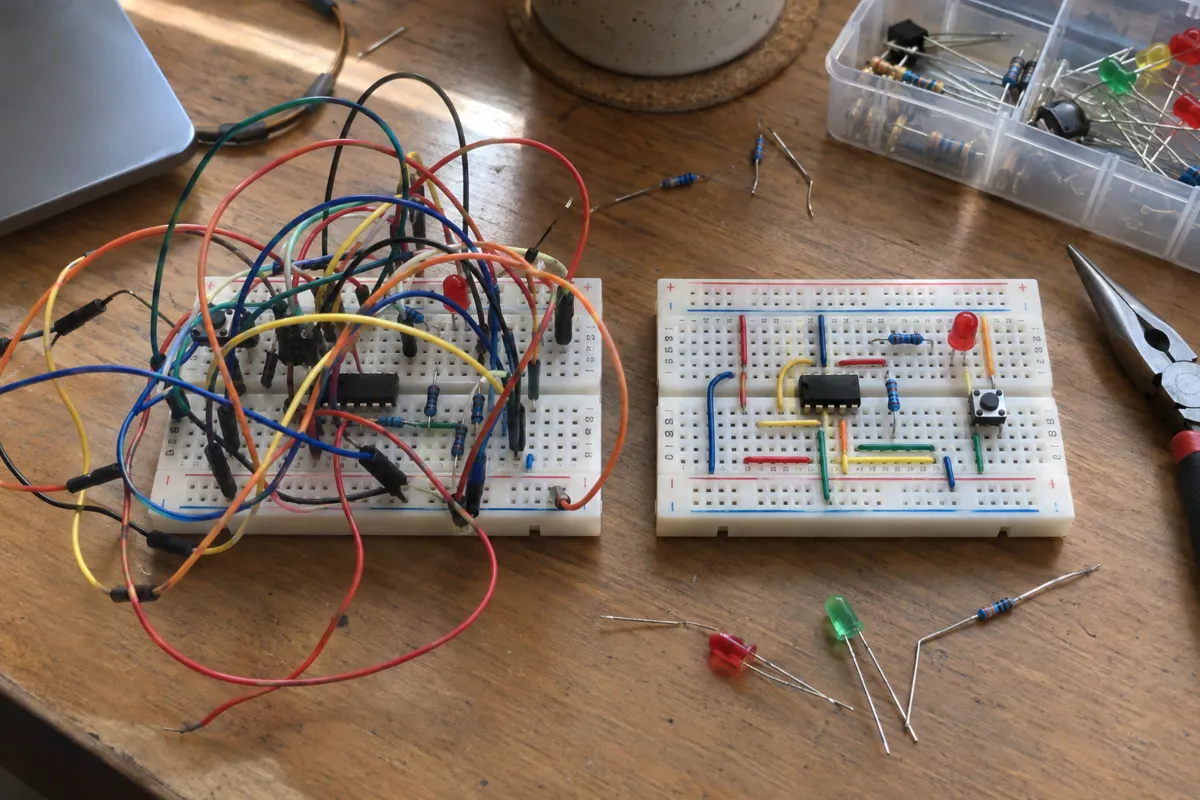
A breadboard is a plastic block with metal spring clips under the holes. The holes sit on a 0.1 in (2.54 mm) grid, the same spacing as the pins of a standard chip, so components push straight in and need no solder.
- Terminal strips: in the main area, each row of five holes shares one clip. Anything plugged into the same five holes is connected.
- The center channel: a gap runs down the middle and separates the two sets of five. A chip straddles the channel so each of its pins gets its own strip.
- Power rails: the long strips along each edge, usually marked red and blue, carry power and ground the length of the board. The rails on one side are not connected to the rails on the other side.
- Polarity: the red and blue marks are a convention. The rail is positive because you connected it to positive.
- Size: a full-size board has 830 tie points, a half-size board has 400, and mini boards are smaller still.
Some full-size boards split each power rail in the middle. On those, a gap in the printed red or blue line usually marks the break, though not every maker prints one. I found mine the hard way: half a circuit worked and the other half was dead, with every part tested good. A short jumper across the gap fixed it. Check any new board with a meter before you build on it.
Breadboard mistakes I made so you can skip them
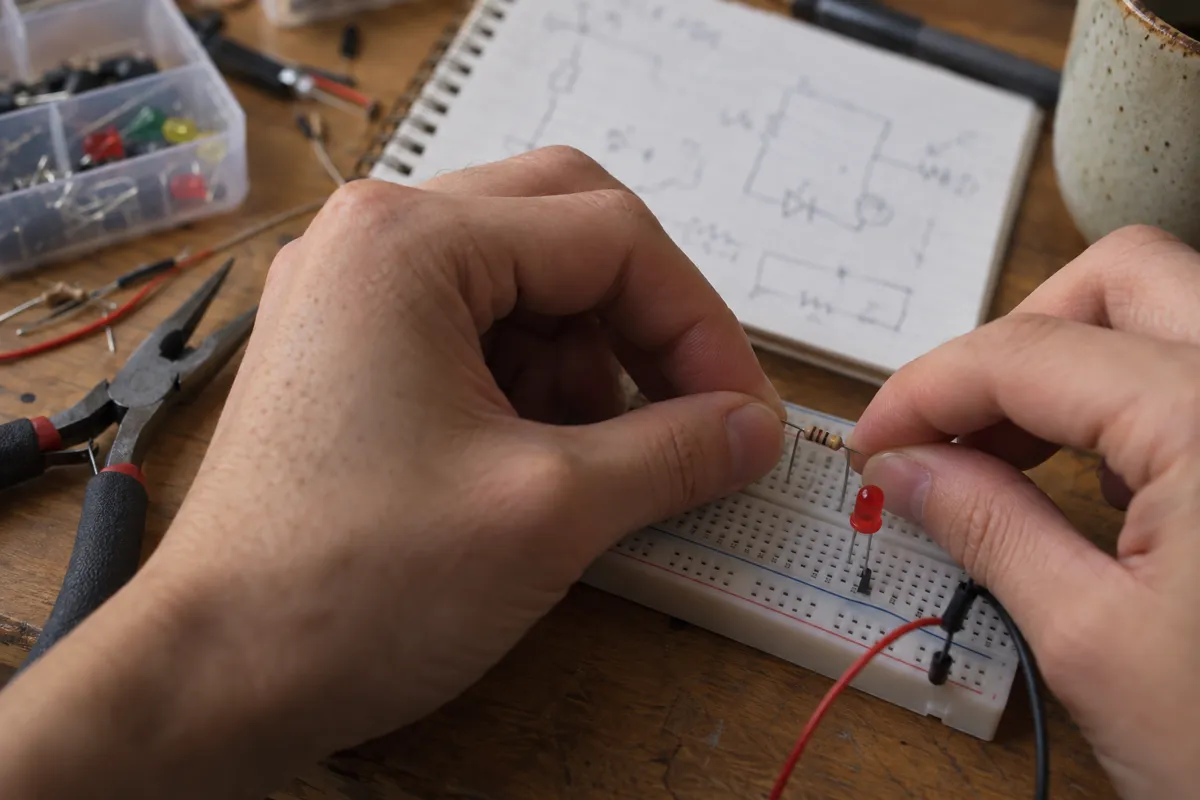
- Trusting a cheap board. A clip that has lost its spring holds a leg most of the time. “Most of the time” is the hardest fault to find. If a circuit works when you press on it, move it to a different row or a better board.
- Not checking the rails. Split rails and a power module plugged in at the wrong end both look fine until nothing works. One r/arduino user fitted a breadboard power module at the far end of the board and swapped power and ground on both rails. Meter first.
- Running an LED without a resistor. An LED has almost no resistance once it starts to conduct, so it draws as much current as the supply allows and fails. From a 5 V pin, a 220 ohm resistor in series keeps a red LED near 14 mA, which is bright and safe.
- Feeding the power module too much. The Elegoo kit’s module is rated for 9 V in. A 12 V adapter from another device may be the right plug and the wrong voltage.
- Using long flexible jumpers for everything. They are fine for linking a sensor module to the board. For connections on the board itself, use short solid wire.
- Forcing thick leads. Fat leads on power diodes and some pots spread the clips, and that row stays loose afterward. BusBoard rates the BB830 for 21 to 26 AWG; if a leg is thicker than that, solder on a thinner wire.
What Reddit says about breadboard kits
Searches for “breadboard kit reddit” lead to the same few threads on r/arduino and r/AskElectronics, and they agree on more than you might expect.
- Buy Elegoo for value. In Elegoo vs Arduino starter kit and a 2026 thread on buying direct from Arduino, the top advice is to get the Elegoo kit and learn from Paul McWhorter’s videos instead of Elegoo’s PDF. Several commenters add that you should buy one genuine Arduino at some point to support the project.
- Cheap breadboards cause bad connections. In “Everything I buy for prototyping has crap connections”, one commenter calls BusBoard “the most reputable brand I’ve found for breadboards”, and another says the boards Ben Eater recommends have been “rock solid”.
- Use solid wire. The same thread’s most-upvoted fix is 22 gauge solid-core copper wire instead of crimped jumpers.
- Not everyone has had trouble. In an older thread, one user’s very cheap eBay boards would not grip even their own jumpers, while another said cheap Amazon boards worked fine. Quality varies by batch, which is why a meter matters.
- Consider ESP32. A 2026 beginner thread points out that ESP32 boards add Wi-Fi and Bluetooth for a similar cost and use the same Arduino IDE.
- Rail colors are only labels. On r/AskElectronics, the top answer to which rail is positive is that the polarity is “whatever you want it to be”.
Buying a breadboard kit on Amazon
- Check who sells it. Every kit here except the Elenco jumper set is sold by the maker or by Amazon. Third-party sellers of the same ASIN can ship older stock.
- Read the box contents, not the photos. Kit photos often show parts from a larger version. The “What’s in the box” list is what you get.
- Look at review dates. Some listings share a review pool with older versions of the same kit, so a high rating may describe a product that has since changed.
- Check your cable. UNO kits ship with a USB-B cable. If your laptop has only USB-C ports, add an adapter or a USB-C to USB-B cable.
- Confirm the controller. Freenove and other Raspberry Pi kits do not include the Pi, and component kits include no controller at all.
FAQ
The ELEGOO UNO R3 Super Starter Kit is the best breadboard kit for most beginners. It includes an Arduino-compatible board, a solderless breadboard, a power module, jumper wires, sensors, motors and more than 20 guided lessons. Choose the Official Arduino Starter Kit if you want a genuine board and a printed book.
A good breadboard kit includes a full-size 830-point solderless breadboard, solid or pre-formed jumper wires, a way to power the board (a power module or a microcontroller with USB), resistors, LEDs, buttons, capacitors and transistors, and lessons. Starter kits add a microcontroller such as an Arduino UNO or an ESP32.
No. Component kits such as the REXQualis Electronics Component Fun Kit power the breadboard from a USB cable or battery through a power module, and you can build LED, transistor and timer circuits with no code. You need a microcontroller only if you want to write programs that control the circuit.
For learning, yes. Elegoo kits use Arduino-compatible boards that run the same code in the same Arduino IDE and include more parts. The official kit has a genuine Arduino board and a better printed book, and buying it supports the Arduino project.
Buy a full-size 830-point breadboard for your first board. It fits a microcontroller connection, a chip or two and several sensors without crowding. Half-size 400-point boards suit small projects and ESP32 boards, and bench boards with 3,000+ points suit multi-chip builds.
Intermittent faults are usually a loose clip, a worn jumper pin or a split power rail. Press gently on the board while the circuit runs: if the fault comes and goes, move the part to another row or replace the breadboard. Check rails and suspect connections with a multimeter on continuity mode.
22 AWG solid copper wire is the standard for breadboards. BusBoard rates its BB830 for 21 to 26 AWG. Stranded wire frays in the clips, so use solid wire or pre-formed jumper kits.
The two rails on each side run along the board, but the left and right sides are not connected to each other, and some full-size boards split each rail in the middle. Join the sides with short jumpers and test with a meter before you build.
Yes. Raspberry Pi kits such as the Freenove Ultimate Starter Kit include a breadboard, a GPIO extension board and a ribbon cable that connect the Pi’s pins to the breadboard. The Pi itself is sold separately, and its pins use 3.3 V logic.
Reddit’s r/arduino most often recommends the Elegoo UNO R3 starter kits paired with Paul McWhorter’s free YouTube lessons. For the breadboard itself, the BusBoard BB830 and 22 AWG solid-core wire are the usual advice for anyone fighting loose connections.